Photos you already have · on your phone
An app to make photos look like film
CAM135 is an app to make photos look like film on the photos you already have. Pick up to 20, pick one of 11 film filters, and it prints them on your phone. The batch never uploads anything. The camera does the same thing live as you shoot. Your first 30 photos and videos are free, then it is $19.99 once. One film per batch, and the batch needs PRO after your first 30.
11 film filters · up to 20 photos · on device
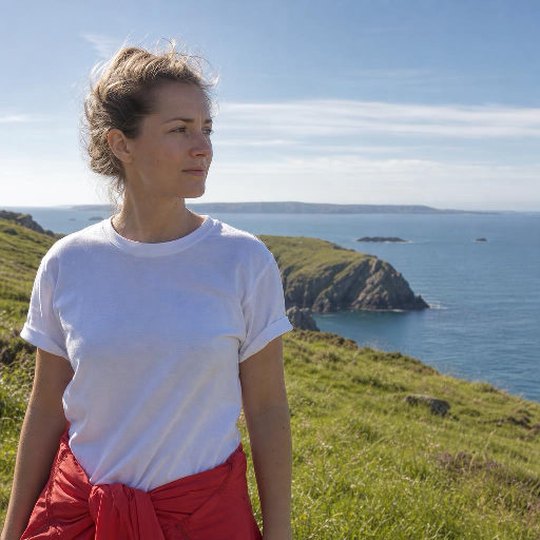
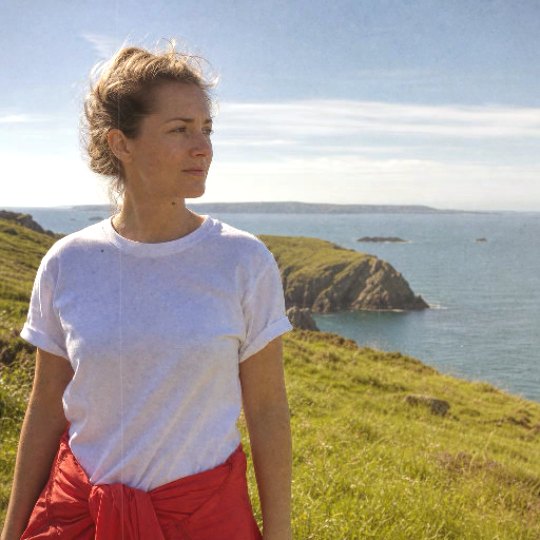
PRINTED BY THE APP'S OWN ON-DEVICE RECIPE · REFERENCE PHOTOGRAPH · DIAL AT 50, A FRESH INSTALL STARTS AT 25
01Before you install one
What to look for in an app that makes photos look like film.
For photos already on your phone you want an editor. Five checks tell you whether it is a good one.
- 01
A film, or a tint?
Look for named films, and run one photograph through several. A tint slides the whole picture warm or cool. A film changes the color, the contrast and the grain together.
- 02
Are your originals kept?
You want a new copy, not a replacement.
- 03
Where does the work happen?
On the phone, or on a server. An uploaded photo is a copy someone else holds.
- 04
What does it cost, and is there a watermark?
A free filter that stamps its name on every print is not free.
- 05
How many at once, and how big?
One at a time is slow for a batch of twenty. Ask what size the prints come out at.
To judge how a look holds up at 100 percent, use the checks on camera app that looks like film. The next section answers all five for CAM135.
02How it works
Pick up to 20, pick a film, print.
The batch lives in the Filter, one screen with a shelf of 11 films.
- 01
Pick a film.
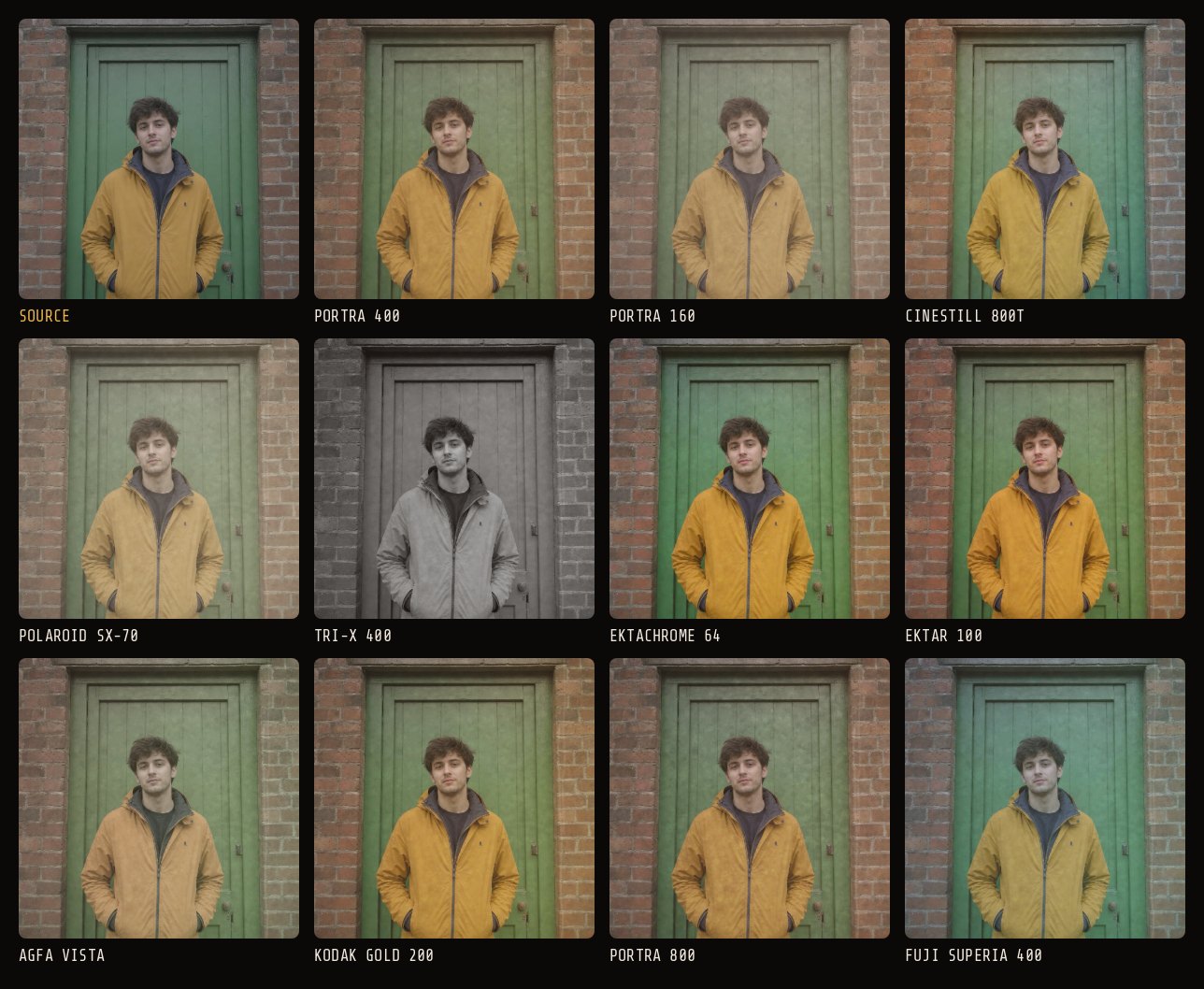
One of the 11 film filters: Portra 160, 400 or 800, Kodak Gold 200, Ektar 100, Fuji Superia 400, Tri-X 400, Ektachrome 64, CineStill 800T, Polaroid SX-70 or Agfa Vista. One film per batch.
- 02
Add up to 20 photos.
Choose them in your phone's own photo picker, or from photos you shot in CAM135. Stills only. Videos are turned away.
- 03
Set the dial in the camera.
The Filter screen has no dial of its own. It uses the dial setting the camera is on when you print. A fresh install starts at 25, SOFT. Move it before you print for less or more wear.
- 04
Print.
Each photo takes a few seconds on your phone. The prints are added to your photos in the app, and you can save them to Photos from there. Your originals are not changed.
03Plainly
What it does to the photo, and what it leaves alone.
It gives a photograph a film look. It does not turn it into a different photograph. Here is the whole list.
What it does
- Prints one film's color look and cast on each photo.
- Adds grain, fog that lifts the blacks, dust, hairs and a few scratches, and a vignette.
- Scales the cast, grain, fog, dust and vignette with the dial, from CLEAN at 0 to RUINED at 100. The film's color look stays at every setting.
- Runs on the phone, offline, with no upload and no credits.
- Prints at most 2048 pixels on the long edge, as JPEG. Originals stay untouched.
What it does not do
- Add halation, shape a highlight rolloff curve, or split color between shadows and highlights.
- Add light leaks to photos you import. Light leaks come live, from five of the cameras (Lomo LC-A, Holga 120N, Polaroid SX-70, Kodak Brownie, Canon 514XL) or from a look you saved yourself, never from the batch.
- Add a date stamp or a frame in the batch.
- Mix films in one batch, or give each photo its own settings.
- Touch video. It prints stills only, and it does not filter clips you already have.
- The separate AI photo editor has an Add halation job; it runs in the cloud and uses credits.
To do the missing parts by hand, in any editor, follow how to make photos look like film. Each film is described on film filters.
ONE REFERENCE PHOTOGRAPH, PRINTED BY THE APP'S OWN ON-DEVICE RECIPE ON EACH FILM · DIAL AT 50 · THE NO FILTER OPTION IS NOT ON THE BATCH SHELF
04Library or camera
Photos you have, or photos you shoot.
The batch is for pictures already taken. The camera is for the ones you have not taken yet.
Shoot in CAM135 and the same recipe is written into the photo as you take it, at up to 24 megapixels on newer iPhones and about 12 on Android. The camera also adds what the batch cannot: light leaks, from five of its 23 cameras or from a look you saved yourself.
05Price
First 30 free, then $19.99 once.
Your first 30 photos and videos come with everything unlocked, and each printed photo counts as one. After that 3 films and 3 cameras stay free, and the batch needs PRO.
$19.99 ONCE UNLOCKS EVERYTHING · $7.99 / MONTH ADDS CLOUD BACKUP · NO WATERMARK · NO ADS
Questions
The short answers.
- What app makes photos look like film?
- Several do. CAM135 is a camera and a batch filter: pick up to 20 photos from your library, pick one of 11 film filters, and it prints the film on your phone. Your first 30 photos and videos are free with everything unlocked.
- Can I make photos I already took look like film?
- Yes. The batch filter takes up to 20 still photos at a time, one film per batch. Your originals stay in your library, and the prints are added to your photos in the app.
- Does it upload my photos?
- Not the batch filter. It runs on your phone, works offline and uses no credits. Two other things do use the cloud: the separate AI photo editor uploads the one photo you send it and costs credits, and cloud backup is part of the $7.99 / month plan.
- Is it free?
- Your first 30 photos and videos are free with everything unlocked. After that, 3 films and 3 cameras stay free, and running the batch filter needs PRO, $19.99 once. No watermark, no ads.
- Do the prints keep full resolution?
- Not from the batch. Photos you bring in are scaled to at most 2048 pixels on the long edge. Photos you shoot in the app are written larger, up to 24 megapixels on newer iPhones and about 12 on Android.
- Does it work on Android?
- Yes. It is the same app at the same price on iPhone (iOS 15 or later) and Android (7.0 or later).