
Camera app with timestamp · what it stamps
A camera app with a timestamp, and what that timestamp is.
This is a camera app with a timestamp made to look like film: the date over your photo in the app, as on a 90s camera, and printed into video.
On photos it is the date only, taken from your phone's clock. It is not GPS, not verified, and not proof of when a picture was taken. On a photo the stamp shows in the app, not in the saved file. On video it is in the file, and the VHS look adds a clock. If you need a stamp for work or evidence, read the second section first.
Date only · no GPS · not verified · iPhone and Android
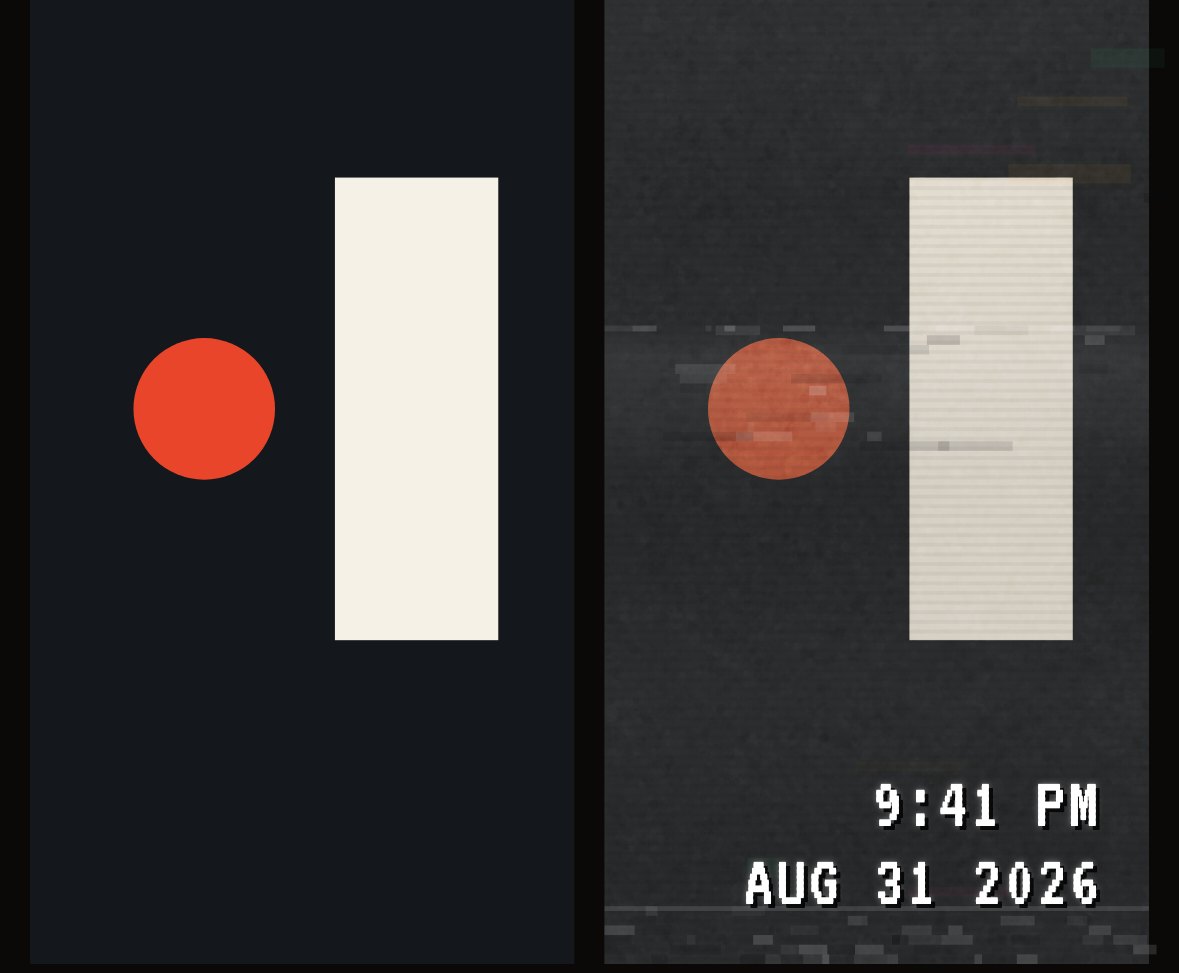
LEFT: AS THE SENSOR SAW IT · RIGHT: THE VHS LOOK AND ITS OWN CLOCK · A TEST FRAME RENDERED BY THE APP'S OWN CODE
01The facts
What this camera app's timestamp is
A date, from the phone's clock. Here is where it ends up.
What it prints
- Photos
- The date, like '26 08 22
- Video, seven camcorders
- The date
- Video, VHS look
- A 12-hour clock over the date
Where it comes from
- Photos
- Your phone's date at the shutter
- Video, seven camcorders
- Your phone's date
- Video, VHS look
- Your phone's clock and date
In the saved or shared file
- Photos
- No. The app draws it over the photo. A DATE BACK or TIMECODE frame print has it in the pixels.
- Video, seven camcorders
- Yes
- Video, VHS look
- Yes
Lettering
- Photos
- One of six faces, your choice
- Video, seven camcorders
- The face you chose
- Video, VHS look
- Its own white blocky type with a hard black shadow
Location
- Photos
- None
- Video, seven camcorders
- None
- Video, VHS look
- None
Verified
- Photos
- No
- Video, seven camcorders
- No
- Video, VHS look
- No
| Photos | Video, seven camcorders | Video, VHS look | |
|---|---|---|---|
| What it prints | The date, like '26 08 22 | The date | A 12-hour clock over the date |
| Where it comes from | Your phone's date at the shutter | Your phone's date | Your phone's clock and date |
| In the saved or shared file | No. The app draws it over the photo. A DATE BACK or TIMECODE frame print has it in the pixels. | Yes | Yes |
| Lettering | One of six faces, your choice | The face you chose | Its own white blocky type with a hard black shadow |
| Location | None | None | None |
| Verified | No | No | No |
THE DATE SWITCH ON THE VIEWFINDER TURNS THE STAMP OFF FOR NEW CAPTURES
02Work and evidence
If you need a timestamp for work or proof
This app is not it. Here is why, and what to do.
The stamp is your phone's date, and anyone with the phone can change the phone's clock. Text drawn on a picture is easy to change too. CAM135 adds no location and does not check the time against anything. So it cannot show when a picture was really taken.
- Keep the original file, and back it up.
- Keep an independent record: a receipt, an email, a delivery log.
- If you need verified time, use a tool built for it.
03Video
The timestamp on camcorder video
Video is where the stamp is in the file.
Every video camera in the app stamps the date into the picture, so it travels with the file to Photos or a message. The seven camcorders, from the Canon 514XL Super 8 to the Sony DCR-PC100 Mini DV, print the date in the face you chose. The VHS look is the one with a clock: a 12-hour time above the date, in its own type, whatever face you picked.
After the first 30 photos and videos, the seven camcorders and the VHS look are part of the $19.99 once unlock.
04Inside the app
See when a photo was shot
The time of day is kept, just not printed on the picture.
Open a photo in the app and tap INFO. The SHOT row shows the day, the date and the time, like Thu 13 Aug 2026 · 14:32. It comes from your phone's clock when you took the photo. It is for you, inside the app. It is not printed on the picture.
05The look
Date in the corner of a photo
In the app, that is the film-style part.
The orange digits, the faces and the layouts have their own page. To put the date into the picture itself, print the photo through a DATE BACK or TIMECODE frame from the Camera Roll. That makes a new copy and keeps your original.
06Price
The date stamp is free. Always.
Showing the date costs nothing, on any plan. The paid part is the shelf of films and cameras: $19.99 once, and $7.99 / month if you also want cloud backup. No watermark, no ads.
Questions
The short answers.
- Does CAM135 have a camera with a timestamp?
- Yes, a film-style one. Photos show the date in the corner inside the app, in your choice of face and layout. It is the date only, taken from the phone's clock.
- Does the timestamp include the time?
- Not on photos. The Info sheet in the app shows the time each photo was shot, but that is not printed on the picture. On video, the VHS look prints a clock above the date.
- Is it a GPS timestamp, or good enough for proof?
- No to both. CAM135 records no location, and the stamp comes from your phone's clock, which anyone with the phone can change. For work records or evidence, use a tool built for verified time and keep the original file.
- Can it add a timestamp to photos I already have?
- No. It stamps what you shoot in the app.
- Is the timestamp part of the saved photo?
- On a photo, it shows in the app's Camera Roll and viewer. The file you save or share is the clean photo. A DATE BACK frame from the Camera Roll prints the date into a new copy. On video, the date is in the file.
- Is the timestamp free?
- Yes. The stamp is never locked, on the free tier or after you buy. What $19.99 once unlocks is the full shelf of films and cameras, including the seven camcorders and the VHS look that stamp video.